RMR Footprint Optics: Compatible Red Dots & Mounting Guide
Oct 7th 2026
When shopping for a red dot optic, you'll encounter different footprint standards—RMR, RMSc, Holosun K, DeltaPoint Pro, and others. But most buyers overlook this: an optic's footprint and your firearm's mounting interface aren't the same.
An RMR-footprint optic won't automatically work with every firearm that can ultimately accept an RMR-compatible system. This distinction is critical because it determines whether your optic will mount directly, require an adapter plate, or not fit at all.
This guide explains what the RMR footprint actually is, which optics use it, how to verify compatibility with your specific firearm, and what to check before buying. If you're considering an RMR-footprint optic for a Glock MOS or another popular platform, you'll find the exact steps to confirm fitment.
WHAT IS THE RMR FOOTPRINT?
The RMR footprint is a specific mounting pattern for red dot sights, named after the Trijicon RMR (Ruggedized Miniature Reflex) optic introduced in 2009. Since then, it has become one of the most widely supported pistol optic footprints across the industry.
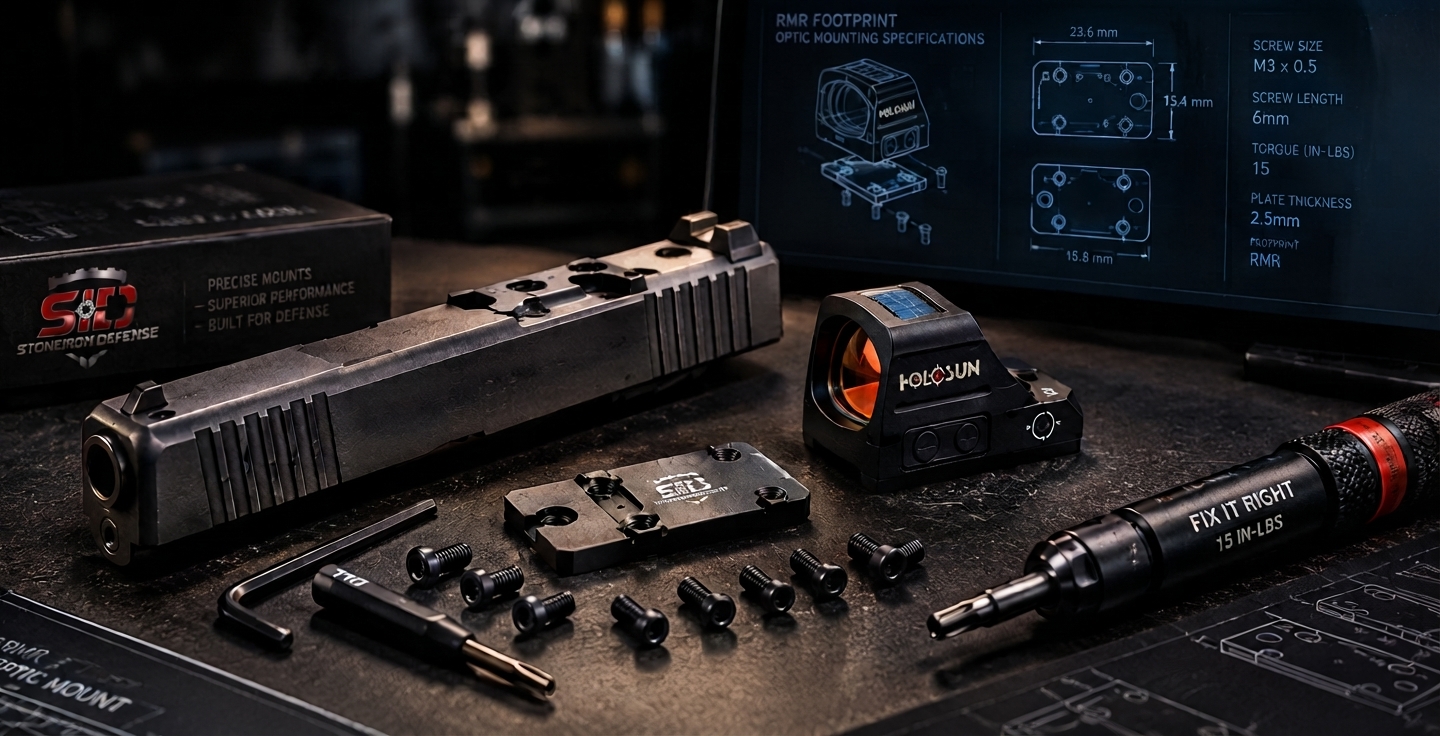
The footprint defines where an optic physically sits on a mounting surface. It specifies two rear screw locations and two forward recoil-lug positions; these four contact points create a standardized interface that lets different optics and firearms (or adapter plates) work together.
Why this matters: The footprint is a mounting interface. It has nothing to do with whether an optic will work with your specific firearm. Your firearm has its own mounting system—either an RMR-cut slide, a factory optics-ready system (like Glock MOS), or a different mounting interface entirely. For an optic to work with your gun, three things must align:
- The optic's footprint
- Your firearm's mounting interface
- The correct adapter plate (if needed)
Confusing any of these three is why buyers end up with incompatible combinations.
WHAT DOES THE RMR FOOTPRINT LOOK LIKE?
If you're standing behind an RMR-footprint optic and looking down at its mounting surface, you'll see four contact points arranged in a specific pattern:
- Two rear mounting holes positioned to accept vertical screws. These typically use standard screw holes (commonly 6/32 thread pitch with Torx-head or similar fasteners).
- Two forward recoil lugs (also called recoil posts or recoil bosses) that sit in recessed sockets on the mounting surface. These forward posts do the heavy lifting—they absorb the recoil force so the screws don't have to.
This four-point interface is what makes the RMR footprint recognizable. Other footprints—like Shield RMSc or Holosun K—use different arrangements, which is why optics and mounting plates designed for one footprint won't fit another.
Important: You cannot reliably identify an optic's footprint by looking at it. Two red dots might appear similar, but their mounting patterns could be completely different. Always verify the footprint through the manufacturer's official documentation, not appearance alone.
WHICH OPTICS USE THE RMR FOOTPRINT?
Many manufacturers beyond Trijicon have adopted the RMR footprint. Here are verified examples currently in production:
| Optic Model | Manufacturer | Footprint | Notes |
|---|---|---|---|
| Trijicon RMR Type 2 | Trijicon | RMR | Open emitter; 1, 3.25, or 6.5 MOA dots; manual or automatic LED |
| Trijicon RMR HD | Trijicon | RMR | Higher-resolution display; recent introduction |
| Trijicon SRO | Trijicon | RMR | Open emitter; larger viewing window; 2.5 MOA dot |
| Trijicon RCR | Trijicon | RMR | Enclosed emitter; 3.25 MOA dot; uses capstan screws (non-standard) |
| Holosun 407C X2 | Holosun | RMR | Open emitter; red or green; budget-friendly; solar failsafe |
| Holosun 507C X2 | Holosun | RMR | Open emitter; multi-reticle options; red or green; solar failsafe |
| Holosun 508T | Holosun | RMR | Titanium housing; similar to 507C; open emitter |
| Holosun 507 Comp | Holosun | RMR | Competition-oriented; open emitter |
| Gideon Optics Rock | Gideon | RMR | Compact; 3 MOA dot; rugged design |
| Gideon Optics Alpha | Gideon | RMR | 65 MOA circle with 3 MOA dot; forgiving sight picture |
| Gideon Optics Omega | Gideon | RMR | Multiple reticle options; large window |
| Gideon Optics Granite RMR | Gideon | RMR | 8 MOA dot; competition-focused; open emitter |
| Swampfox Liberty II | Swampfox | RMR | 7075-T6 aluminum; reliable construction |
| C&H Precision Comp Sight | C&H Precision | RMR | Large-window design; open emitter |
| Riton Optics X3 Tactix PRD | Riton | RMR | Compact red dot; open emitter |
Note: The RMR footprint is used by many more optics than listed here. This table represents widely available examples. When shopping, always verify the exact model's footprint through the manufacturer's official documentation.
RMR FOOTPRINT VS RMR-COMPATIBLE
These terms sound similar, but they mean different things. Understanding the distinction will prevent costly mistakes.
RMR Footprint
An optic has the RMR footprint when it physically uses the RMR mounting pattern—the two rear screw holes and two forward recoil-lug positions we described earlier. The optic was designed with this footprint and matches these specifications.
Examples:
- Trijicon RMR Type 2 (has RMR footprint)
- Holosun 507C X2 (has RMR footprint)
- Gideon Alpha (has RMR footprint)
RMR-Compatible
An optic or system is described as "RMR-compatible" when it can work with RMR-based firearms or mounting systems, but not necessarily because it has the RMR footprint itself.
Examples:
- A Glock MOS pistol is "RMR-compatible" because it can accept RMR-footprint optics (using an adapter plate)
- An adapter plate might be "RMR-compatible" because it bridges between different interfaces
The key difference: RMR footprint is about what the optic actually is. RMR-compatible is about what it can work with.
Think of it this way:
- RMR footprint optic + RMR-cut slide = direct mount (no plate needed)
- RMR footprint optic + Glock MOS slide = requires adapter plate (RMR-compatible through adapter)
- RMSc footprint optic + Glock 43X MOS slide = direct mount (no plate needed)
- RMSc footprint optic + RMR-cut slide = NOT compatible (different footprints)
DIRECT MOUNT VS ADAPTER PLATE MOUNT
One of the most important concepts for compatibility is understanding the difference between these two mounting scenarios.
Direct Mount
A direct mount happens when the optic's footprint matches the firearm's mounting interface exactly. You attach the optic directly to the slide or gun without any adapter plate.
Flow:
Optic (RMR footprint) → RMR-cut slide
This works because the optic and slide "speak the same language" at the mounting interface. Both are designed for the same pattern.
Examples:
- Mounting a Holosun 507C X2 to a Springfield Armory 1911 with an RMR-cut slide
- Mounting a Trijicon RMR to a Glock 19 Gen 3 with an aftermarket RMR-cut slide
Adapter Plate Mount
An adapter plate mount is necessary when the optic's footprint and the firearm's mounting interface don't match. The plate serves as a translator, converting between two different interfaces.
Flow:
Optic (RMR footprint) → Adapter Plate → Firearm/Slide Interface (MOS, RMSc, etc.)
The plate is precision-machined to accept the optic's footprint on one side and the firearm's mounting system on the other side.
Examples:
- Mounting a Holosun 407C to a Glock 19 MOS (requires RMR-to-MOS adapter plate)
- Mounting a Trijicon SRO to a Smith & Wesson M&P Core (requires appropriate adapter plate)
Important: An adapter plate is not a workaround or a lower-quality solution. It's simply the correct mounting method when firearm and optic interfaces don't match. A precision adapter plate, properly installed with correct hardware and torque specifications, is just as secure and reliable as a direct mount.
RMR VS OTHER COMMON FOOTPRINTS
The RMR footprint is one of several pistol optic mounting standards. Understanding how they differ prevents incompatibility mistakes.
RMR Footprint
- Size: Approximately 0.87" × 0.63" viewing window
- Primary use: Full-size and compact double-stack semi-automatic pistols
- Key characteristic: Larger footprint; designed to support heavier/larger optics
- Recoil support: Two forward recoil lugs absorb recoil force
- Adoption: Trijicon, Holosun, Gideon, Swampfox, and others
Shield RMSc Footprint
- Size: Significantly smaller than RMR; approximately 40mm in length
- Primary use: Compact/subcompact/slim defensive carry pistols
- Key characteristic: Narrower footprint; minimizes slide width increase
- Recoil support: Typically four recoil lugs (two front, two rear)
- Adoption: Shield RMS/RMSc series; some aftermarket optics
Holosun K Footprint
- Relationship to RMSc: A slightly modified version of Shield RMSc
- Key difference: Mounting holes are identical to RMSc, but the rear recoil posts are omitted
- Compatibility note: Mounting holes are interchangeable with RMSc, but compatibility depends on the specific optic, slide cut, and plate configuration
- Adoption: Holosun 407K, 507K, EPS series
Critical distinction: Holosun K and Shield RMSc are related, not identical. They can sometimes work interchangeably, but this depends on the exact firearm, plate, and optic configuration. Assume they're different unless you've specifically verified compatibility for your setup.
Leupold DeltaPoint Pro
- Size: Compact footprint; similar dimensions to RMSc in some respects
- Primary use: Narrow-profile slides; Staccato 2011 platforms
- Key characteristic: Uses a narrower base pattern
- Recoil support: Similar to RMSc in concept
- Adoption: Leupold products; available through some aftermarket plate manufacturers
Aimpoint ACRO
- Design principle: Fundamentally different from all above
- Mounting method: Single horizontal clamp screw (not two vertical screws)
- Adoption: Aimpoint ACRO series; increasingly popular
- Compatibility: Not interchangeable with any RMR-based system without specialized adapters
Why This Matters
Buying an adapter plate designed for Shield RMSc when you have an RMR-footprint optic will not work. The two footprints are different physical sizes and shapes. Manufacturers make separate plates for each footprint combination because each requires different mounting specifications.
When shopping, never assume that because two optics are "compact" or "small" that they share the same footprint. Always verify against manufacturer documentation.
DOES AN RMR FOOTPRINT OPTIC FIT GLOCK MOS?
This is one of the most frequently asked questions, and the answer requires understanding what "Glock MOS" actually is.
What Is Glock MOS?
MOS stands for "Modular Optic System." It's not an optic footprint—it's a firearm mounting interface. Glock MOS pistols ship with slide cuts designed to accept adapter plates, which then accept different optic footprints.
Standard Glock MOS models include the full-size Glock 17, compact Glock 19, and others. These come with (or require) an adapter plate that bridges the MOS slide cut to whichever optic footprint you want to use.
Standard Glock MOS + RMR Footprint Optics
Short answer: Yes, with an adapter plate.
How it works:
- You have a Glock 19 MOS (example)
- You obtain an RMR-to-MOS adapter plate
- You mount your RMR-footprint optic (such as Holosun 407C, Trijicon SRO, etc.) to the plate
- You secure the plate to the Glock MOS slide using the plate's mounting holes
The process is:
Optic (RMR footprint) → Adapter Plate → Glock MOS Slide
Compatible Glock MOS models for RMR optics include the 17, 19, 34, 45, 47, and 49 (standard full-size/compact configurations).
Why Do You Need a Plate?
A standard Glock MOS slide isn't cut directly for an RMR footprint optic. The MOS system uses a different interface. An RMR optic mounting plate adapts between the two. The plate is precision-machined to accept the optic's RMR footprint on top and the Glock MOS interface on the bottom.
Glock Slimline MOS: Important Difference
Glock also produces Slimline MOS pistols (models like the 43X MOS, 43 MOS, and 48 MOS). These are NOT the same as standard Glock MOS.
Specifically:
- Glock 43X MOS comes with a slide cut for Shield RMSc footprint optics, not RMR
- A standard RMR-footprint optic is too physically wide for the Glock 43X MOS slide
- An adapter plate cannot solve this size mismatch—the optic body would overhang both sides of the slide, creating an unsafe condition
If you have a Glock 43X MOS and want a compact optic, you're looking at RMSc-footprint or Holosun K-footprint options, not full-size RMR-footprint optics.
When an RMR Optic Plate Matters
If you're mounting an RMR-footprint optic to a standard Glock MOS, you need a properly designed plate. The StoneIron Defense RMR optic plate for Glock MOS is one such solution, designed specifically to bridge between RMR-footprint optics and Glock MOS slides. The plate includes the correct mounting holes, recoil support, and hardware to securely mount your optic.
HOW TO VERIFY AN OPTIC'S FOOTPRINT
Before buying, follow this step-by-step process to confirm compatibility.
Step 1: Identify Your Exact Optic Model
Don't just say "Holosun red dot." Note the exact model: "Holosun 507C X2" or "Holosun 407K." Model variants matter because different versions of the same brand can use different footprints.
Step 2: Check the Manufacturer's Official Product Page
Visit the optic maker's website. Find the product specifications section. Look for a field labeled "Footprint," "Mounting Standard," "Mount Type," or "Compatibility." This should explicitly state the footprint.
Step 3: Verify Using the Owner's Manual
Download the official owner's manual from the manufacturer's website. Search the manual for "footprint," "mounting pattern," "compatibility," or "specifications." The manual is authoritative and will clarify the exact mounting pattern and any compatibility caveats.
Step 4: Identify Your Firearm's Mounting Interface
Know exactly what your firearm accepts. Is it:
- An RMR-cut slide?
- A Glock MOS system?
- A Shield RMSc cut?
- An ACRO cut?
- Something else?
Consult your firearm's documentation or the manufacturer's website.
Step 5: Determine Direct Mount or Adapter Plate
Ask: Will this optic mount directly to my firearm?
- If the optic's footprint matches your firearm's mounting interface, it's a direct mount.
- If they don't match, you need an adapter plate that converts between them.
Step 6: Select the Correct Adapter Plate
If a plate is required, choose one designed specifically for:
- Your exact firearm model
- Your exact optic footprint
Avoid guessing or assuming a generic "RMR plate" will work. Plates are model-specific. A plate designed for Glock MOS + RMR might not fit a Smith & Wesson M&P + RMR the same way.
Step 7: Verify Mounting Hardware Specifications
This is critical. Different optics use different screw types and lengths.
From the optic's manual, note:
- Screw type: Torx? Allen key? Capstan? Slotted?
- Screw size: 6/32? 4-40? Different pitch?
- Screw length: 3/8"? 1/2"? Too long can cause interference; too short won't hold properly.
From the adapter plate documentation, note:
- Plate-to-slide hardware: Usually specified by the plate maker
- Optic-to-plate hardware: Often specified separately
Do not assume that hardware from one optic will work with another. Do not guess screw lengths.
Step 8: Follow the Manufacturer's Installation Instructions
Before installation, read:
- The optic's mounting instructions
- The plate's installation guide
- Your firearm's relevant documentation
Follow them exactly. If the manual specifies a torque value, use it. If it says to use blue threadlocker, use it. These details matter for safety and reliability.
COMMON COMPATIBILITY MISTAKES
Mistake 1: Identifying Footprint by Appearance Alone
Two red dots might look nearly identical, but their mounting patterns could be completely different. A Holosun 407C (RMR footprint) and Holosun 407K (K footprint) are different optics with different mounting patterns. Never assume based on size or appearance. Always verify with manufacturer documentation.
Mistake 2: Confusing Optic Model With Footprint
Saying "I have an RMR optic" is ambiguous. Do you mean a Trijicon RMR? Or an optic that uses the RMR footprint? These aren't the same. Be specific: state the exact model and its footprint.
Mistake 3: Assuming All Red Dots Share the Same Footprint
They don't. RMR, RMSc, Holosun K, DeltaPoint Pro, and ACRO are all different. An optic designed for one footprint won't fit a slide cut for another footprint, even with an adapter plate in some cases.
Mistake 4: Ignoring Firearm Generation and Configuration
A Glock 17 Gen 3 and Glock 17 Gen 5 might not use the same plates or accept the same optics without modification. A standard Glock 19 MOS and a Glock 43X MOS are fundamentally different in their mounting systems. Always verify your exact model, generation, and configuration.
Mistake 5: Assuming "Glock MOS" Means Universal RMR Compatibility
Glock MOS is a system that accepts adapter plates. Not all MOS models accept the same optics. Standard full-size/compact MOS (17, 19, 34, 45) works differently than Slimline MOS (43X, 43, 48). Verify your specific model.
Mistake 6: Selecting Hardware Without Verification
Some RMR optics use standard Torx-head screws with specific dimensions. Others use capstan screws or alternative fasteners. The Trijicon RCR, for example, uses capstan screws—not standard Torx heads. Using the wrong hardware can result in poor fit or the screw not tightening properly.
Mistake 7: Using Wrong Screw Lengths
A screw that's too long might interfere with internal firearm components (especially on compact models like the Glock 45 MOS with its tighter extractor area). A screw that's too short won't provide adequate thread engagement and may fail under recoil. Manufacturer specifications exist for a reason.
Mistake 8: Not Reading Manufacturer Documentation Before Purchasing
The fastest way to end up with incompatible components is to skip this step. Spend 15 minutes downloading and reading the optic's manual and the plate's installation guide. This simple step prevents most compatibility problems.
RMR FOOTPRINT BUYING CHECKLIST
Before purchasing any RMR-footprint optic or mounting plate, verify the following:
Optic Information:
- Exact optic model number (e.g., Holosun 507C X2, not "Holosun red dot")
- Optic footprint confirmed (from manufacturer's website or manual)
- Optic documentation downloaded (for reference during installation)
Firearm Information:
- Exact firearm model (e.g., Glock 19 Gen 5, Smith & Wesson M&P Core)
- Firearm generation/configuration (MOS vs non-MOS, Slimline vs standard)
- Firearm's mounting interface identified (RMR cut? MOS? RMSc?)
- Firearm documentation reviewed
Compatibility Assessment:
- Direct mount or adapter plate required? (Confirmed)
- If adapter plate needed: exact compatible plate identified
- Plate compatibility verified for your firearm + optic combination
- Plate documentation downloaded
Hardware Specifications:
- Optic-to-plate screw type confirmed (Torx? Capstan? Other?)
- Optic-to-plate screw size/length confirmed
- Plate-to-firearm screw type and size confirmed
- Torque specifications noted (if provided by manufacturer)
- Threadlocker recommendations confirmed (blue vs. none, etc.)
Final Verification:
- Optic manual reviewed for any special installation requirements
- Plate installation guide reviewed
- Firearm manual consulted for any optic-mounting precautions
- All documentation saved or printed for reference
Frequently Asked Questions
Q: What is an RMR footprint?
A: The RMR footprint is a mounting pattern featuring two rear screw holes and two forward recoil-lug positions. Trijicon introduced it with the RMR optic in 2009, and many manufacturers now produce optics using this same footprint.
Q: Which optics use the RMR footprint?
A: Beyond Trijicon's RMR, SRO, and RCR, many other manufacturers produce RMR-footprint optics. Holosun's 407C, 507C, 508T, and 507 Comp all use the RMR footprint. Gideon, Swampfox, C&H Precision, and Riton also offer RMR-compatible options. See the Optics Chart above for a current list.
Q: Is "RMR footprint" the same as "Trijicon RMR"?
A: No. The RMR footprint is a mounting standard. The Trijicon RMR is a specific optic model. Many optics use the RMR footprint without being made by Trijicon.
Q: What does an RMR footprint look like?
A: From above, you'll see two rear screw holes and two forward recoil-lug positions arranged in a specific pattern. You cannot reliably identify an RMR footprint by appearance alone—always check the manufacturer's documentation.
Q: Are RMR and RMSc footprints the same?
A: No. RMR is larger and designed for full-size and compact pistols. RMSc is smaller and designed for micro-compact and slimline pistols. They are not interchangeable.
Q: Is Holosun K the same as RMR?
A: No. Holosun K is a modified version of Shield RMSc, not RMR. It's significantly smaller and uses a different mounting interface. An RMR optic won't fit a slide cut for Holosun K.
Q: Can an RMR-footprint optic fit Glock MOS?
A: Yes, with an adapter plate. Standard Glock MOS models (17, 19, 34, 45, 47, 49) can accept RMR-footprint optics using an appropriate RMR-to-MOS adapter plate. However, Glock Slimline MOS models (43X, 43, 48) use different mounting systems and cannot accept standard RMR optics.
Q: Does an RMR optic always require an adapter plate?
A: No. If your firearm has an RMR-cut slide, the optic mounts directly without a plate. If your firearm uses a different mounting interface (like Glock MOS), you'll need an adapter plate.
Q: What is the difference between RMR footprint and RMR-compatible?
A: RMR footprint describes the optic's actual mounting pattern. RMR-compatible describes a system that can work with RMR-footprint optics, often through an adapter plate. A Glock MOS is "RMR-compatible" but doesn't have an RMR footprint itself.
Q: How do I check my optic's footprint?
A: Visit the manufacturer's official product page and look for a footprint or mounting specification. Download the owner's manual and search for "footprint" or "mounting pattern." Never rely on appearance alone or retailer descriptions—use official manufacturer documentation.